 OfficeSwap
Office Hoteling for Medical and Dental Groups: Shared Provider Offices Across Clinics
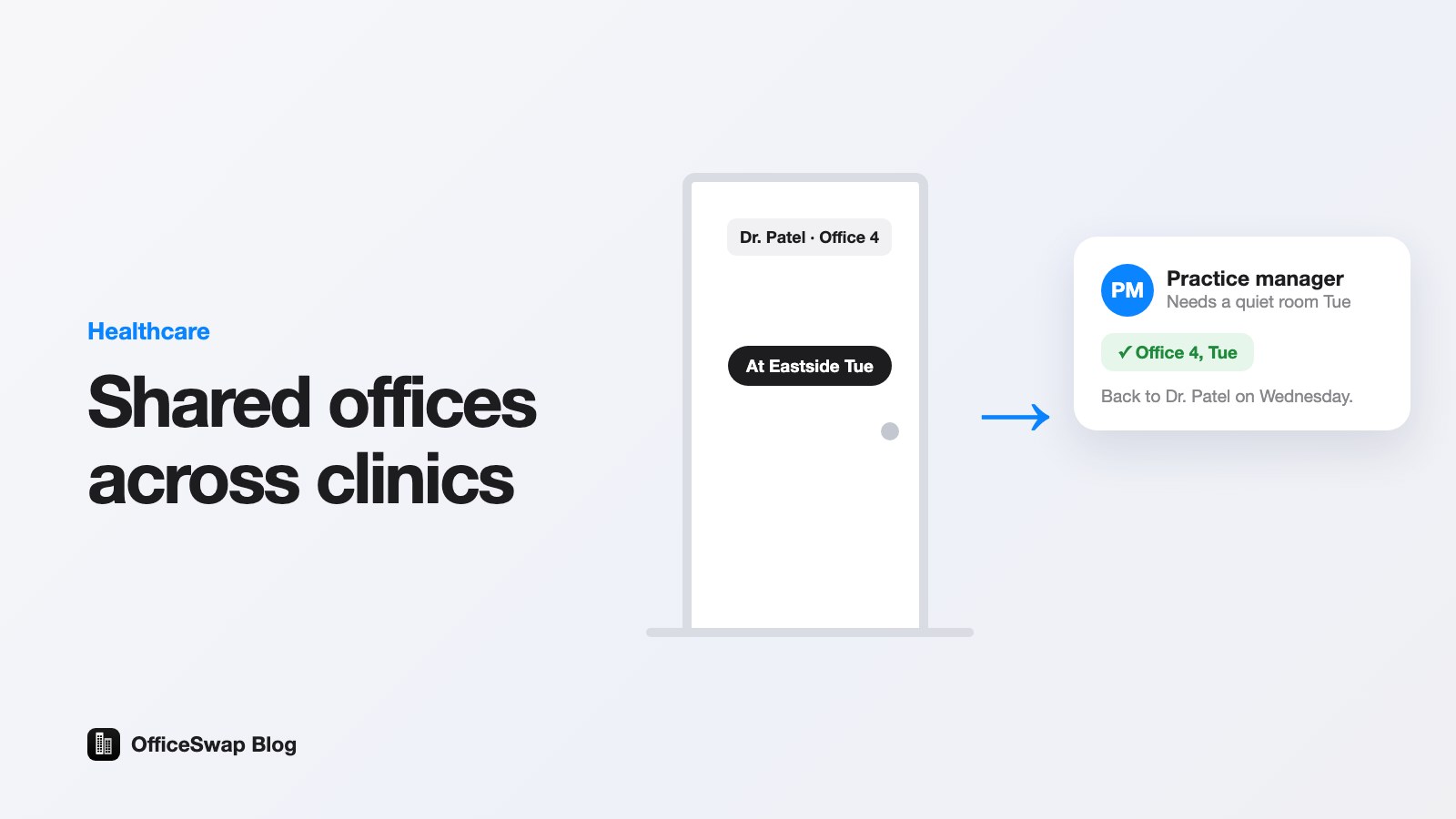
A medical or dental group with several clinics has a scheduling puzzle most offices don't: people move. A provider works Monday at one site, Tuesday at another. A practice manager covers two locations. A regional director visits all of them. Every site has private offices, and on any given day some of those offices are empty while someone visiting the clinic has nowhere to close a door.
Hoteling is the usual answer, but classic hoteling assumes nobody owns a room. In a clinic, providers do. This guide covers how to share offices when people are away without taking anyone's room from them.
The problem: empty rooms and nowhere to sit
Look at one clinic on a Tuesday. The provider who normally uses Office 4 is at the other site. The office is empty, set up and locked. Meanwhile the visiting manager is charting at a break room table and taking calls in the hallway.
Multiply that across locations and the group is paying for rooms nobody is in while staff improvise. Our empty office cost calculator and the worked example in how to calculate the cost of empty offices show how to put a number on it.
Why classic hoteling fits clinics badly
- Providers need a base. Their room holds their equipment, reference materials and the way they like things set up. Pooling every room removes that.
- Exam rooms are not offices. Treatment and exam rooms are tied to equipment and schedules. Office sharing is for the private offices and assigned desks around them: charting, calls, meetings and conversations that need a closed door.
- Sensors and badge systems are heavy. A small group doesn't want to install hardware to learn which rooms are empty.
Share by days, not by rooms
The approach that works is reverse hoteling: the office holder keeps the room and offers it only on days they know they'll be elsewhere. On every other day it is theirs, exactly as they left it. Guests get a private room on the days one is actually free.
For a clinic group that maps neatly onto how people already work:
- A provider who rotates to another site offers their office for those days.
- A visiting practice manager, billing lead or clinician requests an office for the days they'll be on site.
- Matching is automatic and first come, first served. If nothing is free, the request joins a waitlist and takes the next office that opens up. See how the waitlist works.
What providers care about, and the answer
"Will someone use my room when I'm there?"
No. An office can only be used on a day its holder offered. If plans change, they take the day back and whoever was placed there goes back on the waitlist. How to offer your office walks through it.
"Who are these people?"
Only people in your own organization. They join with your access code, and admins can require a verified work email. Nobody outside the group can request a room. See how verification works.
"What about patient information?"
Put a plain rule in your policy: clear patient papers and lock drawers and screens before an away day, and guests don't open anything closed or use the holder's computer. OfficeSwap also isn't built to hold patient information, so please don't enter any. It stores names, office assignments, the days people offer or request and any notes your team writes. Have whoever handles compliance at your group review the wording. Our free policy template is a starting point.
What the practice or operations manager gets
If you run several locations, the useful part is visibility. OfficeSwap's Insights show how often each office is used, how often requests are filled, which day is busiest and which offices sit empty. Because it's built on the offers and requests people actually make, you don't need sensors. See how to measure office utilization without sensors and office analytics for admins.
Those numbers help when a lease renewal comes up, because you can see which clinics need less private office space and which need more. Our lease renewal checklist and guide to reducing lease costs without moving show how.
Multiple clinics, one plan
Every OfficeSwap plan includes unlimited locations and unlimited employees. Your plan is based only on the number of workspaces you list, so adding a clinic doesn't change the price by itself. Visiting colleagues can request offices at any site. Managing visiting colleagues across multiple offices covers how to set that up.
How to start
- Pick one or two clinics and a handful of providers who regularly work at other sites.
- Set up your organization and list the private offices and assigned desks. See the setup walkthrough.
- Share the access code and ask those providers to offer their offices on away days.
- After a few weeks, read the Insights and decide where to extend it. The rollout guide has a sensible order.
Every plan starts with a 30-day free trial, with pricing from $299 a month after that, billed monthly. See the pricing page, take a look at the page for medical and dental groups or try the demo (code DEMO). When you're ready, start your free trial.
From the OfficeSwap blog: officeswap.co/blog/office-hoteling-for-medical-and-dental-groups/